
Your CV, tailored to this exact job.
Paste the job ad. cveasy.ai shows you which requirements your CV already covers and what is missing, then writes the cover letter. Download it as a PDF, in a classic or an ATS-friendly template.
No sign-up needed. Free PDF download. No subscription.
Three steps to a finished application
-
Create your CV
Upload your current CV as a PDF, Word file or photo, or your LinkedIn profile. The AI moves your roles, dates and skills into the editor. Or fill in the fields yourself.
-
Check it against the job
Paste the job ad. You see which requirements you cover and which are missing, and you get a profile summary written for that role.
-
Cover letter and PDF
The AI writes the cover letter from your CV and the job ad, without filler phrases. Download both as matching PDFs.
See what the recruiter sees
Many applications are filtered out before a person reads them: applicant tracking systems look for the terms in the job ad. The job check marks which of them your CV already contains and which you should add, if they are true for you.
Covered in your CV
Still missing
Tip: Under Fintory, say how many people you led day to day.
A cover letter that sounds like you
No "I am writing to apply for" and no empty adjectives. The AI picks two or three requirements from the ad and backs them up with your real experience. It does not make anything up. You choose the tone and length and can edit every sentence.
Application for Head of Product
Dear Dr Albers,
Cutting checkout drop-off by 23% showed me how much a good product team can move. That is the kind of impact I want to have as Head of Product at Northlight.
At Fintory, I have led the payments platform for 40,000 business customers since 2021 …
Classic or ATS-friendly
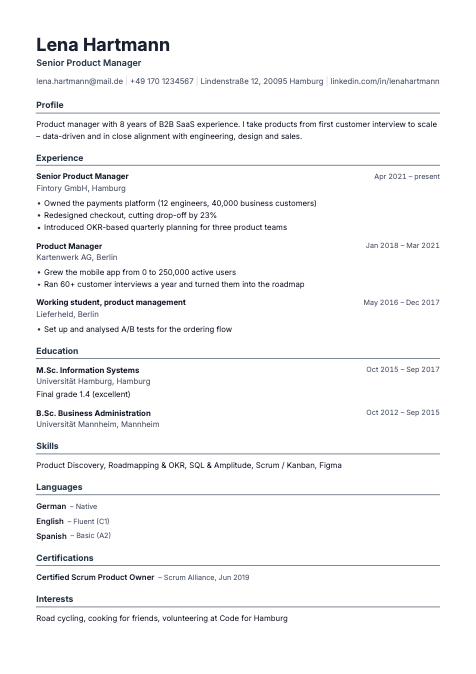
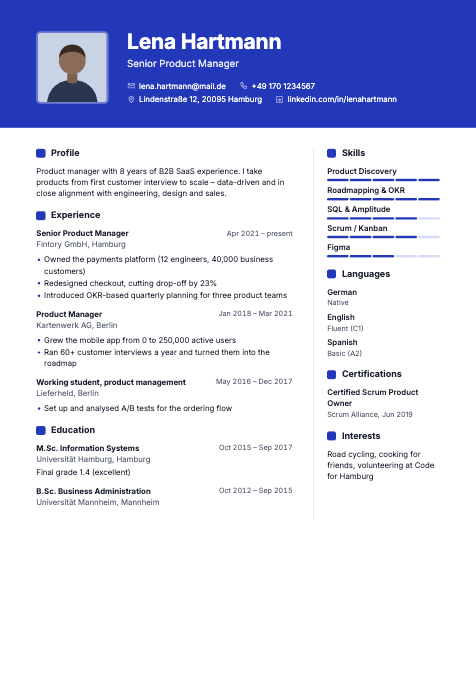
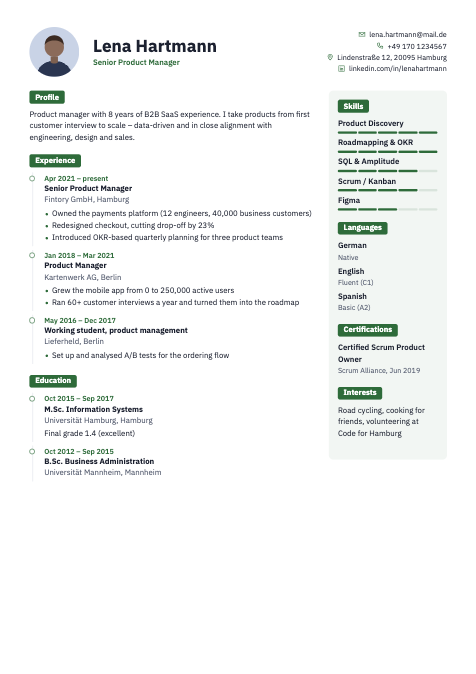
Classic tabular layouts with an optional photo, and a clean one-column template built for applicant tracking systems.
Readable by ATS
Real text in the PDF, not an image, and clear section headings, so tracking systems can parse every line.
Your data stays yours
Stored on servers in Germany, under EU data protection law. The AI does not train on your data. Export or delete everything with one click.
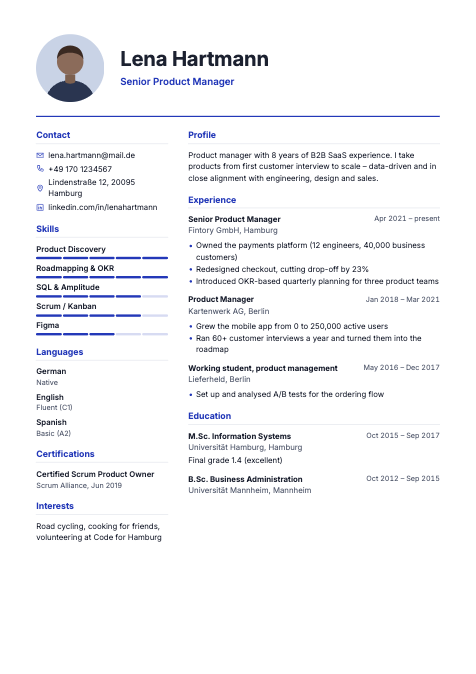
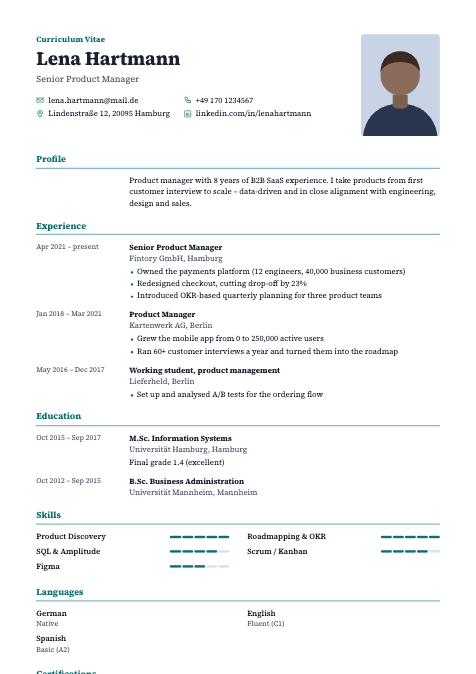
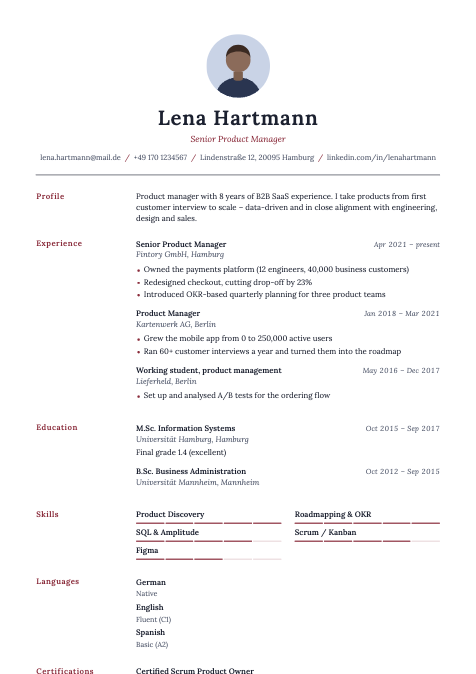
Six templates, any colour you like
Switch templates at any time and keep your content. You set the colour, font and section order.
No subscription. No cancellation trap.
Many CV sites lure you in with a cheap trial and then charge you every month. Here you pay once for the length of your job search. After that, the pass simply ends.
Free
€0
- Modern, Tabular and Clear templates
- Unlimited editing, PDF download
- 3 AI actions to try it out
- Small "Made with cveasy.ai" note in the footer
Job Search Pass, 30 days
€9.90 one-time
- All 6 templates
- PDF without the footer note
- AI without a counter: import, job check, cover letter, rewriting
- Ends automatically after 30 days
Job Search Pass, 90 days
€19.90 one-time
- Everything in the 30-day pass
- For a longer job search
- About €6.63 per month
- Ends automatically after 90 days
Pay by card, PayPal, Apple Pay, Google Pay, Klarna or SEPA. All prices in euros, including VAT.
Frequently asked questions
Is cveasy.ai really free?
Yes. Without signing up, you can create CVs and cover letters and download them as PDFs, using three templates. The free version adds a small note to the footer and includes three AI actions to try. You only need the pass for the other templates, PDFs without the note and unlimited AI.
Does the pass renew automatically?
No. The pass is a one-time payment and ends on its own after 30 or 90 days. There is nothing to cancel. If your search takes longer, buy a new pass and it starts when the current one ends.
Will the AI make things up about me?
It is told to use only facts from your CV and your notes. Where a number would help but is missing, it adds a placeholder such as [X%] for you to fill in. Still, read every text once before you send it.
Should my CV have a photo?
It depends on the country. In the UK, the US, Canada and Ireland, leave the photo out. In Germany, Austria and Switzerland it is optional and still common. You can turn the photo on or off in every template.
Which templates work with applicant tracking systems?
All templates produce PDFs with real, selectable text. The Clear template is a plain one-column layout made for applicant tracking systems. Use it when you apply through large job portals or company career sites.
What happens to my data?
Your documents are stored on servers in Germany. For AI features, the content needed is sent to our AI provider, Anthropic, which does not use it for training. You can export all your data or delete your account at any time. Details are in the privacy policy.
Can I write my CV in another language?
Yes. In the design panel, set the language of your CV to English or German, and all section headings switch. The AI also writes cover letters in that language.
Will I get an invoice?
Yes. After you buy, our payment provider Stripe emails you an invoice automatically.